 TarifPing
Help › AI advice
💡 AI advice: pricing decision support
Enterprise plan. For each of your prices, TarifPing looks at your competitors, their promotions and upcoming sales events, then suggests a costed action.
Before you start
Add your own pricing page and tick This is my own pricing page (see Get started). Without it, TarifPing does not know which prices to advise on.
Run an analysis
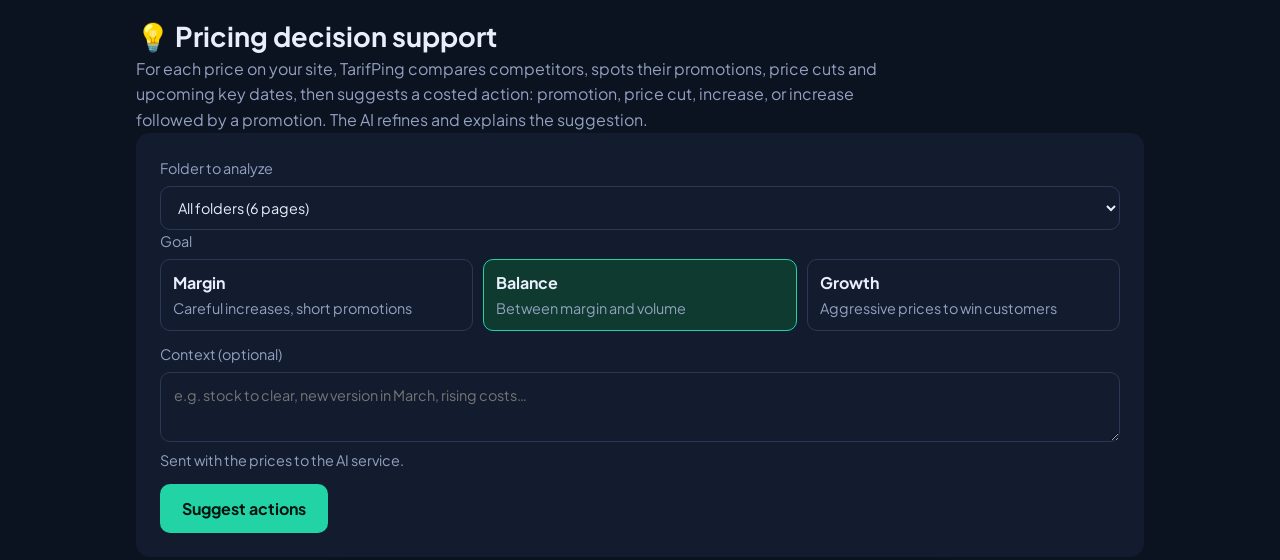
- Open 💡 AI advice in the menu.
- Choose the folder to analyze: All folders or a specific folder. The 💡 AI advice button of a folder, on the dashboard, opens the analysis of that folder directly.
- Choose the goal: Margin (careful increases, short promotions), Balance or Growth (aggressive prices to win customers).
- Add context if you like ("stock to clear", "new version in March"…), then click Suggest actions. The analysis takes about half a minute.
Reading the suggestions
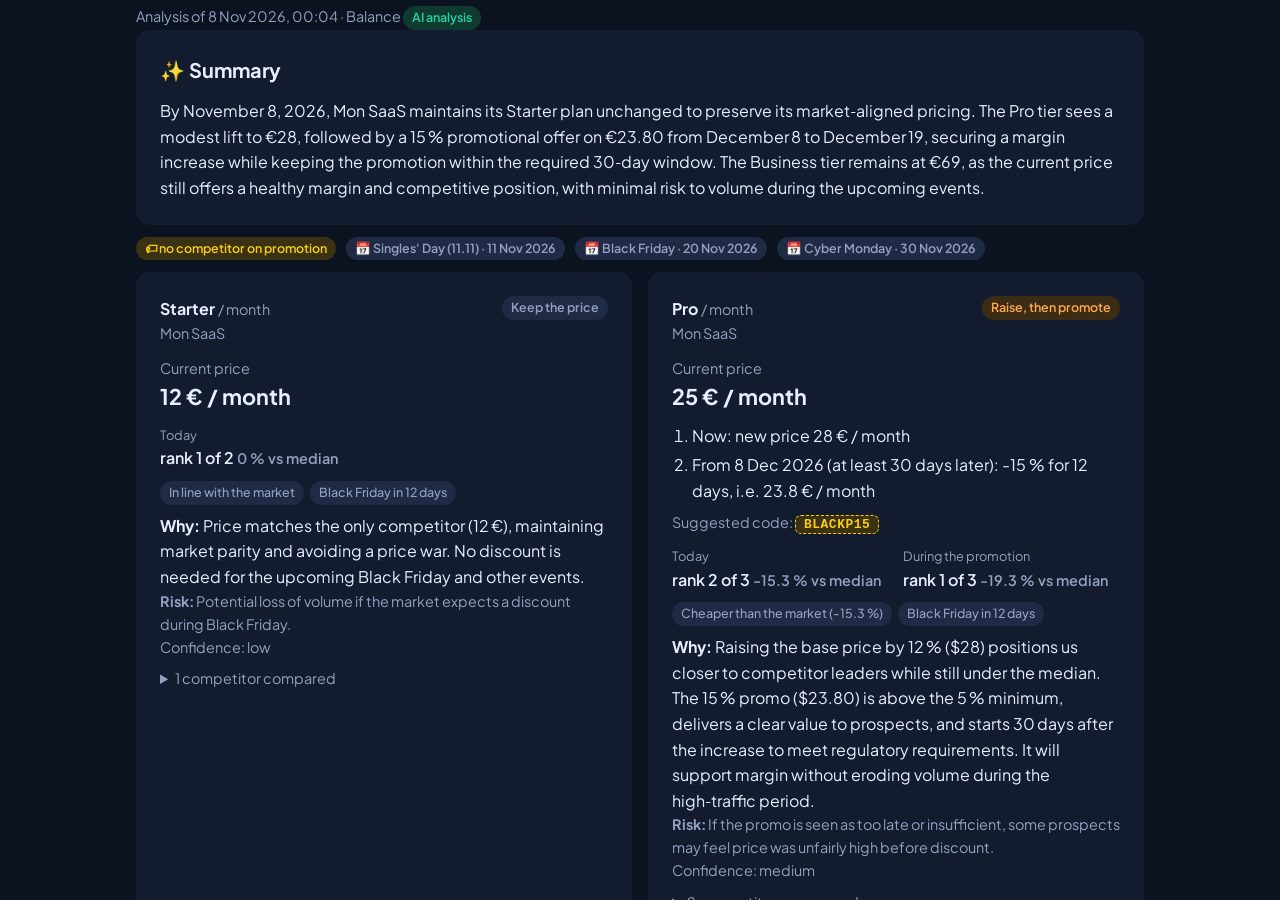
One card per price, with:
- The action: keep, lower, promotion, increase, or increase then promotion.
- The figures: new price, discount, duration, start date, suggested promo code.
- Your rank among competitors, today and after the action.
- Why, the risk and the confidence level (the more comparable competitors, the higher it is).
At the top, the summary sums it all up, and labels recall your competitors' current promotions and the next sales events (Black Friday, sales…).
Why a promotion 30 days after an increase?In Europe (Omnibus Directive), the crossed-out price of a promotion must be the lowest price charged in the previous 30 days. TarifPing applies this rule automatically.
Suggestions, not decisionsTarifPing never changes your prices. Check your margins, stock and commitments before acting. If the AI is temporarily unavailable, calculation rules answer on their own (this is shown on screen).
The weekly AI summary
Also with the Enterprise plan, the Monday summary (see Alerts) is written by AI: who moved, who is cheapest, where you stand. Settings › Weekly summary › Get my summary now sends it right away.